Adhesion
Positioning
The first step of the adhesion process is to select the positions where the adhesion measurements should take place. Refer to Position Selection to see how to select positions.
Adhesion
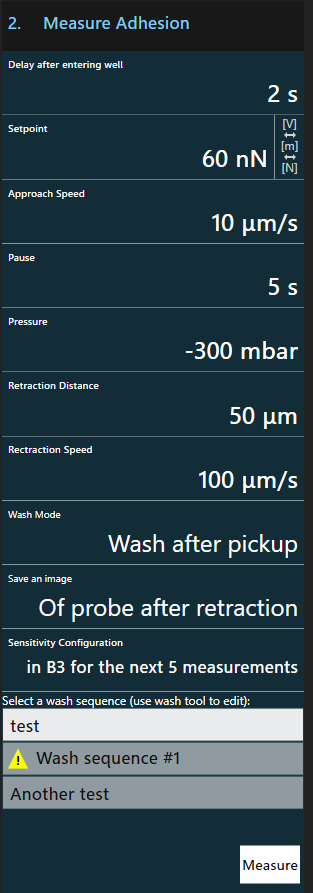
This workflow approaches the probe to the surface, applies the configured pressure and retracts the probe again by the desired distance.
This procedure is repeated for every point specified.
Deflection and positioning information are recorded during the approach, pause and retraction phase. These curves are saved for every point.
Wash option
It is possible to run a wash sequence after every point. This may be necessary to remove any picked up object from the probe. Choose a wash sequence from the provided list. To create and/or edit a wash sequence use the wash tool.
A warning  is shown if the sequence is not applicable with the current plates.
Note
Activating or deactivating the wash options influences pressure after retraction:
- When washing is disabled, the pressure is kept after retraction. This allows picking up the first object and keeping it for the successive measurements.
- When washing is enabled, the pressure reverts back to idle pressure before washing.
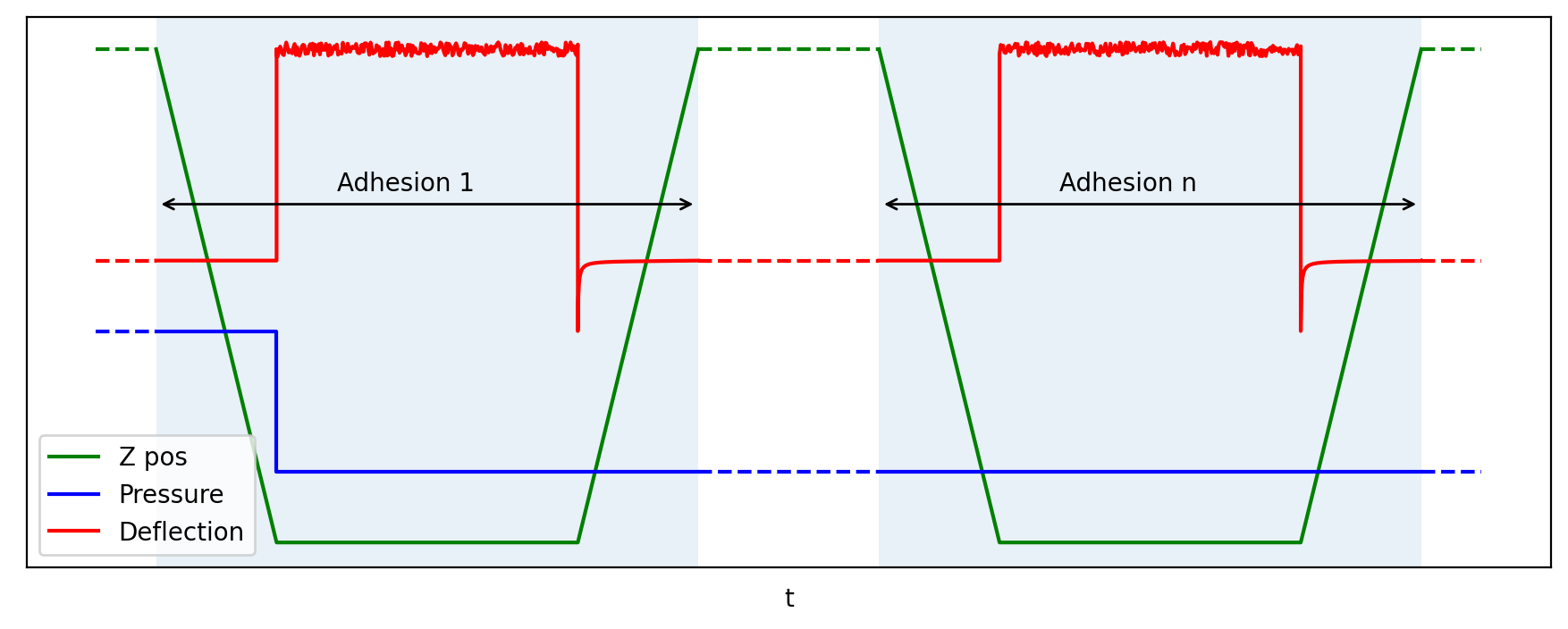
- adhesion procedure without washing
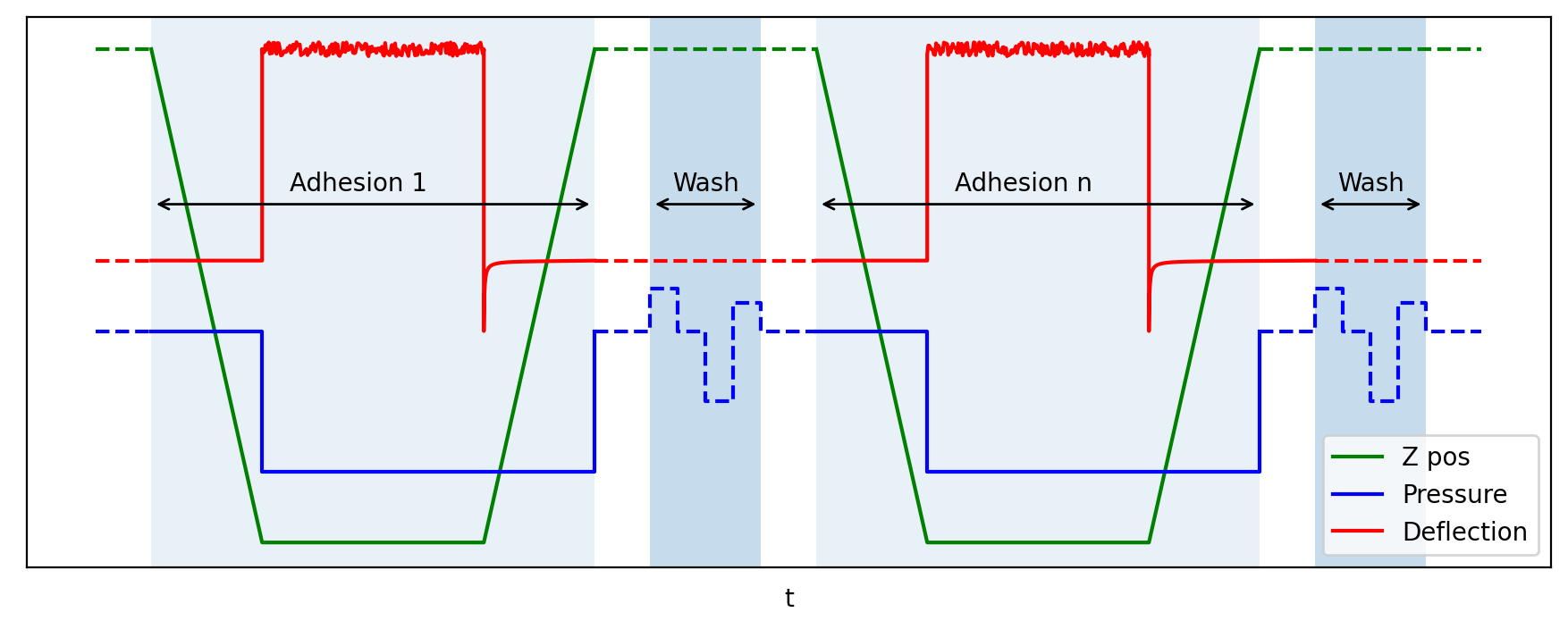
- adhesion procedure with washing
Sensitivity
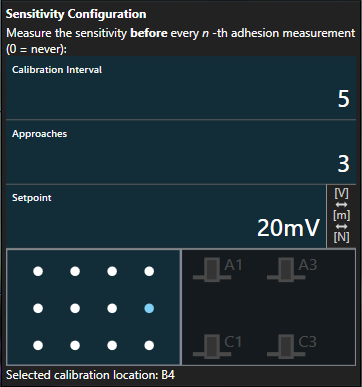
The probe’s sensitivity can be re-measured at a regular interval for successive adhesion measurements. The measurement is configured in the same way as in preparation except that a well where the measurements shall take place has to be chosen. The result is then automatically stored and applied.
Note
If enabled, the sensitivity measurement takes place immediately before the first adhesion measurement and then again after n points have been processed.
The result of the sensitivity measurement is immediately applied and saved as metadata alongside deflection and positioning data for each point.
Images
It is possible to automatically record images immediately before and after each adhesion measurement. The system assumes that the microscope is focused on the object that is measured and does not perform any adjustments. After the measurement, an image can be taken at both the same focus level and, if the microscope is motorized, the focus level of the probe.
Parameters
| Parameter | Description |
|---|---|
Delay after entering well |
Time to wait before starting a measurement whenever the probe has entered the well to avoid detecting disturbances during entry as contact and to allow for automatic camera exposure to adjust. |
Setpoint |
The probe deflection value at which the approach will be stopped |
Approach Speed |
Speed at which the probe travels until reaching the setpoint |
Pause |
Time to wait before retracting the probe |
Pressure |
Pressure to be applied during contact |
Retraction Distance |
Distance to retract after the pause |
Retraction Speed |
Speed of the probe during retraction |
Wash Mode |
Whether to run the wash sequence after every point |
Save an image |
Whether to save images before approach and after retraction (focusing at object level or probe level) |
Sensitivity Configuration |
Specifies when, where and how often to re-measure the probe’s sensitivity |